

Presentations can be powerful tools for sharing ideas, but holding your audience’s attention requires planning and creativity. When you streamline your content and leverage the right tools, you are more likely to deliver a presentation that connects with your listeners. For those looking for easy ways to make professional slides, consider exploring an AI presentation maker to save time and boost your visual impact. Whether you are presenting to colleagues, clients, or a large audience, your ability to engage and inform is crucial. By understanding who your audience is, crafting a focused message, and adding visual and interactive elements, you’ll set yourself up for success. These tips will guide you through creating more effective and memorable presentations.
Understanding Your Audience
Gaining a clear understanding of your audience is the first and most important step in delivering an engaging presentation. Research who will be attending, their level of familiarity with your topic, and what they are hoping to learn. With these insights, you can tailor your language, examples, and depth of information to make your content more relevant.
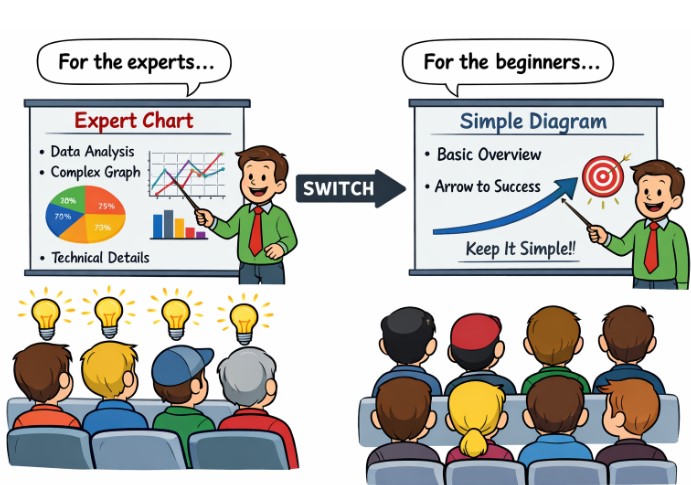
Tailoring your presentation’s theme and message to the audience’s background increases the likelihood that your points will resonate. For example, sharing technical details makes sense for experts, while a broader overview is more appropriate for audiences new to your subject matter.
Crafting a Clear and Concise Message
Clarity is key to keeping your audience engaged. Begin with a detailed outline to organize your topics logically and avoid tangents. Use bullet points or short phrases on your slides to make your main arguments stand out and reduce cognitive overload for your audience. Keeping text minimal also allows your audience to focus more on your verbal delivery and visuals. A streamlined structure helps each part of your presentation build on the last, making your talk feel cohesive and ensuring your audience can follow your argument without confusion.
Utilizing Visual Aids Effectively
Visuals help bring your ideas to life. Use infographics, charts, photos, and videos to clarify facts, support your arguments, and help your audience remember key information. High-quality visuals also break up text chunks and add variety to your slides, helping keep viewers attentive. Ensure that every visual you use serves a purpose and is easy to read from a distance. Keep graphics simple, use contrasting colors, and avoid clutter. A concise chart or graphic can often explain your point more quickly and with greater impact than text alone.
Incorporating Storytelling Techniques
Adding stories or personal anecdotes makes information relatable and memorable. For instance, instead of simply listing statistics, share a client success story or a lesson learned from your own experience that supports your main argument. Real-world examples create an emotional connection and illustrate concepts in a context your audience can understand.
When you use storytelling in professional settings, you help listeners visualize how the information matters to them. Storytelling can also be a great way to open or conclude presentations, bringing your key takeaways to life.
Engaging Your Audience with Interactive Elements
Interaction is essential to keep your audience engaged throughout your presentation. Incorporate brief polls, quizzes, or questions to encourage participation. These elements turn your presentation into a dialogue, allowing your audience to share their perspectives and ask questions. Using digital tools for live polling, such as Mentimeter or Kahoot, enables real-time feedback and makes sessions more memorable. Interactive segments can also reveal what your audience is thinking, allowing you to adapt your content on the fly and address areas of greatest interest.
Practicing Your Delivery
Even the best content will fall flat if you are unprepared or lack confidence. Practicing your presentation multiple times allows you to refine your pacing, eliminate filler words, and adjust your tone for emphasis. Practicing in front of friends, recording yourself, or rehearsing with colleagues can provide valuable feedback on both body language and verbal delivery.
Preparation is also key to handling unexpected situations, including technical issues or challenging questions. A polished delivery projects confidence and encourages your audience to trust your expertise.
Leveraging Technology for Efficiency
Streamlining your presentation process using technology can save time and reduce stress. Presentation tools and professionally designed templates help you quickly create visually appealing slides. For collaborative presentations, cloud-based platforms enable teams to co-edit and gather feedback in real time, thereby increasing both quality and productivity.
Consider reading TechRadar’s guide to presentation software for more on the best cloud-based tools and templates to work smarter.
Continuously Improving Your Presentation Skills
After every presentation, gather feedback from your audience or peers to identify strengths and areas for improvement. Reflecting on what worked and what needs adjustment will help you grow as a presenter. Over time, regular feedback and ongoing practice will enable you to develop your own engaging style and consistently captivate your audience.
By implementing these strategies and adapting based on experience, you will be ready to create streamlined presentations that leave a lasting impression. Your audience will appreciate your focus, clarity, and willingness to engage.
