

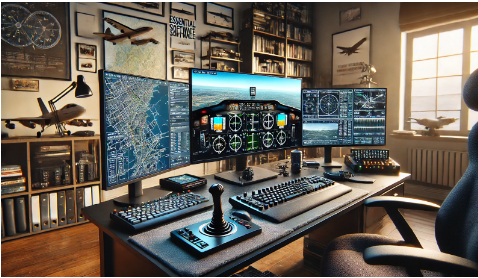
Setting up a flight simulation rig is more than just assembling hardware; your chosen software is equally crucial in creating an immersive and realistic flying experience. Whether you’re a seasoned pilot or a budding aviation enthusiast, having the right software can make all the difference.
This guide will delve into the essential software components elevating your flight simulator setup.
Contents
1. Flight Simulation Software
The core of any flight sim setup is the flight simulation software itself. Popular options include:
- Microsoft Flight Simulator: Renowned for its stunning graphics and realistic world mapping, this software offers an unparalleled flying experience.
- X-Plane: Known for its accurate flight physics and a broad range of aircraft models, X-Plane is a favorite among serious flight sim enthusiasts.
- Prepar3D: Developed by Lockheed Martin, this software is tailored for professional training and offers high-fidelity simulations.
Each platform provides a solid foundation for virtual flights, ensuring access to detailed environments, real-time weather, and a vast array of aircraft.
Navigating the virtual skies requires precise tools. Navigation software is essential for planning routes, monitoring flight paths, and ensuring a smooth journey. Some top choices include:
- ForeFlight: A comprehensive app real pilots use, offering detailed maps, weather updates, and flight planning tools.
- SkyVector: A web-based platform providing aeronautical charts, weather data, and airport information.
- Little Navmap: A free, open-source flight planning software that integrates seamlessly with various flight simulators.
These tools help you chart your course accurately, mimicking the navigational aids in real-world aviation.
3. Aircraft Add-Ons
To enhance your flight sim experience, aircraft add-ons are a must. These add-ons offer detailed replicas of actual aircraft with accurate cockpit instrumentation and flight dynamics. Notable mentions are:
- PMDG: Known for its high-quality Boeing aircraft simulations.
- A2A Simulations: Offers highly detailed general aviation and warbird aircraft.
- Aerosoft: Provides a range of commercial and regional jets.
Installing these add-ons enriches your flight experience, allowing you to fly a diverse fleet of aircraft with realistic handling.
4. Scenery Enhancements
Scenery enhancement software transforms your flight environment, making it more realistic and visually appealing. Key options include:
- Orbx: Offers highly detailed scenery packs for various regions around the world.
- MegaSceneryEarth: Provides photorealistic scenery based on actual satellite images.
- FlyTampa: Specializes in creating realistic airport environments.
With these enhancements, you can fly over lifelike landscapes and approach detailed airports, adding depth to your simulation.
5. Instrument Panels and Avionics
Software that supports advanced instrument panels and avionics is essential for those looking to replicate a real cockpit. One of the standout choices is:
- G1000 Simulator: This software replicates the Garmin G1000 glass cockpit, providing accurate avionics systems in many modern aircraft.
Using such tools ensures your virtual cockpit operates with the same functionality as its real-world counterpart.
Building a comprehensive flight simulator setup requires careful software selection to complement your hardware. Each software component plays a vital role in creating an authentic flying experience, from core simulation platforms to advanced navigation and weather tools. Incorporating high-quality add-ons and enhancements can take your setup to the next level. Choosing the right software, including a g1000 simulator for avionics and other essential tools, ensures your flight simulator setup is realistic and enjoyable.
