

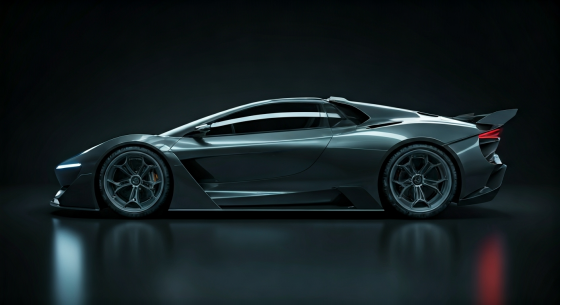
What is 3d Automotive Modeling?
3D automotive modeling is making realistic digital car models for design, visualization, and engineering purposes.
Key Highlights
- 3D automotive design and photoreal visualization enable car marketing and the automotive industry to showcase new car models before production.
- Virtual environments and interactive showrooms provide buyers with immersive experiences, boosting engagement and sales.
- Advanced rendering software like Blender and Autodesk streamlines the development process, allowing precise and scalable car modeling.
- The technology reduces reliance on physical prototypes and accelerates the automotive manufacturing cycle.
- 3D car models play vital roles in advertising, game development, video games, and other industries.
- Customizable 3D car configurators deliver AR and VR-driven personalization for consumers.
Introduction
Imagine being able to walk around a new car’s design in virtual reality before there is a real car. The way people do automotive design in today’s world has changed a lot. Now, we use 3D modeling and lifelike rendering to see car ideas before they get made. This lets automotive companies share their ideas, see what people think, and make changes fast. By using virtual reality and detailed car models, automotive makers can show people cars in a more hands-on and convincing way. It is a better experience for customers, designers, and for anyone who works in 3d auto design.
The Rise of Photorealistic 3D Rendering in Automotive Marketing
Automotive marketing has changed a lot because of photoreal visualization. Today in the automotive industry, car makers use strong 3D rendering tools to show real-like images of new car models before building them. This helps them get people excited about new cars using virtual environments and makes customers feel part of an interactive experience.
This whole thing begins with digital sketches. After that, it goes to modeling and then to texturing. In the end, there is the final rendering step. The automotive industry uses this process to create images that look very real for ads and virtual showrooms. This way, companies spend less and reach more people.
To explain how 3D automotive rendering works and its effect on design visualization, it is good to know this process lets companies move easily from coming up with ideas to connecting with customers. The shift from a basic idea to a great user experience happens with high-quality visuals and virtual environments.
Bridging the Gap Between Concept and Consumer
Car companies used to find it hard to get people excited before they showed the final product. Now, 3D automotive rendering helps change that. The process turns sketches of the car into pictures that look real. It lets customers look at the car online, from every side. In this way, automotive companies get to show design choices early in a way that people can see and like.
During the development process, these 3D visuals help engineers check how the car works and looks. This is done without making real models, which cuts costs. It lets the car be ready and out in less time. The car’s digital twin helps for inside team checks, but is also great for ads and online showrooms. This has changed the automotive industry in a big way.
The car and 3D models are used differently in gaming, manufacturing, and advertising. In games, they are made to work fast and let people play and move around. In manufacturing, the focus is on getting every detail right with precision and real functionality. For ads, it is more about making the car look as real and good as possible, with an emotional feel. Each area makes the 3D model with its own goals in mind for visualization and use.
Transforming Pre-Production Car Sales Strategies
Pre-production sales strategies now focus more on virtual environments. In automotive manufacturing, teams use 3D models to help customers see cars before these are made. People can look at photoreal car models in online showrooms or ads. Buyers get to view and change the cars, which helps them feel sure about what they want to buy.
With virtual environments, automotive design can show every model at one time. Traditional showrooms often do not have enough room for this. Now, both online and in-person sales can grow. Dealerships and manufacturers see more people joining and making purchases. This means higher conversion rates for them.
How does the 3D automotive rendering process help in design visualization? 3D rendering gives digital models that look real. Teams add true-to-life textures and lighting to each design. They use special rendering engines to get clear, high-quality images. This level of precision in visualization makes the development process smoother. It makes the marketing easier and lowers costs, so pre-production sales are more exciting for customers.
Essential Software Tools for 3D Automotive Design
Choosing the right software for 3D automotive design is very important. People who work in this area often use tools like Blender, Autodesk Maya, and 3ds Max. These make it possible for them to create car models that are both correct and great to look at. Blender is open-source, so you get a lot of things you can use for free. Autodesk software gives strong tools for both modeling and animation.
Every software has its own strengths to help in each step of the modeling process. This can be at the start or for the final picture. The best software for your team will depend on what your project needs and what your staff can do. What is the best tool to use for 3D automotive design and car modeling? Next, we will look at the platforms that the industry likes best for automotive work.
Industry-Preferred Platforms and Their Key Features
When it comes to 3D car modeling, industry professionals gravitate towards platforms offering unique strengths, from polygon modeling to realistic visualization. Blender is favored for concept development, while Autodesk software like Maya and 3ds Max excel at technical modeling and rendering.
Below is a comparison of key platforms:
| Software | Key Features |
| Blender | Free, open-source, excellent for concept modeling, advanced rendering, active community |
| Autodesk Maya | Powerful modeling, animation, industry-standard for automotive modeling and VFX |
| 3ds Max | Superior polygon and texture modeling, user-friendly for beginners, precise rendering |
| Autodesk Alias | Class A surfacing, NURBS modeling, best for exterior/interior styling |
| Rhino | NURBS-based, rapid surface creation, widely used for concept development |
| KeyShot | Photoreal rendering, materials library, integrates with CAD platforms |
What are the best software tools for 3D automotive design and car modeling? The answer depends on your workflow, but these platforms are widely adopted for their functionality and integration.
Accessibility for Beginners and Advanced Designers
Getting top car design software is easier now. It does not matter if you are new or you have worked with car models before. You can use Blender. It is open-source, while having help from YouTube and other guides. These easy lessons, and the community, help you learn the basics and move up to other car modeling features.
If you know more about automotive design, try Autodesk Maya and Alias. These tools have strong options for automotive modeling. Their AI tools and exact tools for making complex shapes help a lot. You also get a good mix with other car software. That keeps the work smooth and simple.
If you ask about the best one for first-time 3D car modelers, Blender is a great choice. Blender has easy ways to get started, good options, and lots of teaching help online. When your skill gets better, then you can switch to Autodesk or Rhino or other pro software. These give you even more precision and fun ways to be creative in automotive work.
Starting from Scratch: Crafting Realistic 3D Car Models
Creating real-looking 3D car models starts with strong automotive design basics. You need to collect information to help you. Get some blueprints and photos of different cars. These materials are to guide you while you build your car model. Using good automotive design and car model references leads to the right shape and small details in the car.
When you have the reference pieces, you can use 3D software. You work to build shapes, set up polygons, and shape the car’s surfaces. How do I get started making realistic car models from scratch? First, you find some blueprints for a car. Learn basic modeling skills for automotive design, and you will be ready to go.
Collecting References and Blueprints
Gathering references is the first thing to do when you make a car model. Blueprints and clear pictures help you with the shape, size, and other small details. The best places to find this information are manufacturer websites, automotive databases, and design archives.
- Manufacturer blueprints show the right measurements and specs for different car models.
- Reference photos help modelers see how cars look in real life and spot differences in automotive design.
- Online libraries and forums, like Blender’s educational channels, have things users share and tips on workflow.
- Technical drawings be good for working out how to model hard parts, like wheels and inside pieces.
These references are important if you want your car model to be real and work well. If you ask how to get going making a realistic 3D car model, the answer is this. Start by getting a lot of detailed blueprints and reference pictures. This gives your project a strong start with good automotive design and car model build in Blender for modelers. It helps with both style and functionality.
Modeling Fundamentals: Meshes, Polygons, and Surfaces
The core of 3D automotive design is about making exact meshes, polygons, and surfaces. You use software like Blender. Start by building the basic shape of the car model with simple polygons. This way, you can see the right size and look before you add more to it.
After this, make the mesh better by splitting polygons and forming shapes. Be sure to look at important things such as the bodywork, trim, and wheel arches on the car. Use surface modeling tools to make the curves smooth and reflections real, which is important for automotive design.
How can you begin to create realistic 3D car models from the start? Learn how to make the mesh and change polygons well. Then use surface modeling to help the car model look alive. The car will look real if you keep studying these basic steps and use them again and again. If you work at it, your automotive designs and the car model will keep getting better with time.
Enhancing Detail and Realism in 3D Vehicle Visualization
Bringing a car model to life takes more than just building simple shapes. You need to see things clearly, use real-looking textures, and set up the right lights. Adding small details, like little marks on the surface or real paint styles, helps make your digital car look and feel real. This brings your automotive design to a new level.
To make good automotive visualization, be sure to learn about texture mapping, choosing the right materials, and using moving lights. You can get more realism and detail in 3D automotive designs by making sure your textures are just right and your lights are set up with care. Focus on precision in both texture work and lighting to build images that look true and draw people in.
Mastering Textures, Materials, and Lighting
Bringing a 3D car model to look real needs good work with textures, materials, and lighting. Textures show how each part of the car feels, like the metallic paint, rubber tires, or glass windows. Materials decide how light acts when it hits different parts of the car.
Lighting is very important in automotive visualization. You can use it to copy natural sunlight, the lights in a showroom, or driving at night. This helps the car model seem real and full of life. Tools like Blender and KeyShot help you make these things look even better.
How can you make the car model look more real and detailed in your automotive work? Abhimanyu Chavan, who started Manufactur3D, says, “Lighting, textures, and materials are the three main things for photoreal visualization.” If you focus on these areas for the car, your render will look deep and real every time.
Advanced Techniques for Achieving Photoreal Quality
Getting the most real look in automotive design needs advanced methods and lots of precision.
- Use high-resolution textures and bump maps to show things like stitching, decals, the small spots, and marks found on cars.
- Use realistic lighting and HDRI maps. This helps show the car in different lighting and settings as in the real world.
- Use AI-driven rendering engines. These make the design process faster and cut out mistakes.
- Adjust how shiny or see-through each part is, so it looks like the real materials used in automotive design.
Many automotive designers add animations to show moving parts. This makes the models stand out more. So, what makes 3D automotive design even better? Mixing these skills with watching real vehicles closely lets designers make images that look just like you would see in real life and it’s hard to tell them apart from real photographs.
Building a Customizable 3D Car Configurator
Car configurators are changing how people shop for cars. They let customers pick what they like by using AR and VR in real-time. On these platforms, people see clear car pictures that feel real. They can choose things like colors, wraps, or other parts before they buy.
Functionality is really important. The configurator must be easy to use, show live previews, and give ways to make the car feel personal to you. What steps do you need to take to build a 3D car configurator that customers can change as they want? Let’s go into the ways these interactive features help make the car platforms more fun to use.
Interactive Features for User Engagement
Engaging users in virtual reality is all about giving them easy and fun ways to interact. The best car configurators keep people interested because they be simple to use. Users like to explore and change the car model in the way they want.
- Real-time rendering lets users see updates right away. This helps users know what changes look like and make choices faster.
- Interactive controls make it easy to spin, zoom in, and check every corner of the car model.
- Virtual environments show the car in different lighting setups. This helps buyers see how the car will look in different places or times.
- Adding AR and VR makes the whole experience come alive. People remember the time they looked at the car, and it makes it easier for them to like and pick it.
To get good user engagement, you need everything to work smooth and quick. What will help when building a 3D car configurator in virtual reality for users? You can start by making sure the features let users change the visualization any way they like. If you let people control and change the car, you make the automotive design feel real, fun, and interactive for everyone.
Personalization: Visualizing Wraps, Colors, and Accessories
Seeing customization options is a big part of automotive marketing today. People can use advanced 3D design software to look at car wraps, choose colors, and try out different accessories before they buy anything. This way, there is more customer satisfaction and the buyers feel good about their choices.
Automotive companies have large sets of colors, wrap designs, and add-ons for people to pick. Using these tools, you can try out and compare all these choices in real-time. You get to see how each pick will change the final product. Looking at different wraps and colors with 3D modeling helps people make the car their own, and it lets automotive sales move faster.
Do you want to see different car wraps and colors with 3D automotive design software? You can use the platforms like Blender or Autodesk. They let you make editable templates so users can mix and match lots of options. This way, the whole automotive buying process becomes creative and fun.
Applications of 3D Car Models Across Industries
3D car models are very important in the automotive industry and many other fields. You will find these models in game development, video games, ads, and virtual showrooms. They help people see cars in detail and give an interactive experience. The way each industry uses the models is a bit different. Some use them for technical things, some for telling a story, and others for making games feel more real.
Do 3D vehicle models look and work the same in gaming, manufacturing, and advertising? Not really. Each uses its own spin. Let’s look at how these models work in different areas and see the way they help it grow and get better.
Automotive Advertising and Virtual Showrooms
Advertising and virtual showrooms are some of the best ways to use a 3D car model. In advertising, marketers use visualizations that look real. They make ads that grab people’s attention and share details about new cars, even before anyone can see the car in real life. These images appear in posts online, on billboards, and on interactive sites.
Online showrooms let people see every car model in the automotive industry without going to a dealership. There are no problems with space because it’s all online. Buyers get to look at the inside, change features, and try out many options. They can even test driving features. This helps give a better experience. People are happier and buy more cars.
3D vehicle models change a lot from industry to industry. For example, in advertising, the focus is on looking good and making an emotional bond with the viewer. In virtual showrooms, the main idea is being able to interact with the car and change details. This keeps people interested and drives more action in automotive visualization.
Gaming, Manufacturing, and Beyond
In game development and video games, 3D car models are made so they work fast and smooth. The goal is to keep them looking good while making sure the system handles them well. These models are the main part of many racing games and simulations. They help make the gameplay feel real to all players.
Manufacturing uses very exact car models for building and testing cars. These are like digital copies that help with quick testing and design changes. Using them helps cut down on time, money, and problems during the development process. Other industries, like public safety or city planners, use 3D automotive models for things like checking how cars move in traffic or during emergencies. This makes it easy to see problems and make smart choices.
So how are 3D vehicle models different in gaming, manufacturing, and advertising? Every area needs something unique. Games need models that are quick and can change easily. Manufacturing must be correct down to the smallest part. Advertising and different industries want models that look as real as possible for the best visualization.
Overcoming Challenges in 3D Automotive Modelling
Creating and improving 3D car models is not always easy. Modelers need to deal with a lot of details in their work. They have to keep files small enough so that visualization looks smooth, even as automotive designs get more tricky. When you make the workflow simpler, it can lower the chance of mistakes. This can help you work faster and also make the final product look better.
What problems show up a lot in 3D car modeling, and how can you get past them? Below, we talk about some ways for modelers to handle all the parts and make sure that the visualization is right and the finished model looks great for the final product.
Managing Complexity and File Optimization
Working with complex automotive car models needs careful management of files and workflow. As models get more advanced, the size of the files can get bigger. When that happens, it can slow down your computer and sometimes cause things to crash. Here are some ways to make things better:
- Always clean up any unused meshes, textures, and polygons. This keeps the files neat and helps with speed.
- Use tools found inside Blender and Autodesk to make your files smaller but keep all the needed details.
- Set up version control during each step of the automotive design.
- Break models into smaller parts to make rendering and animation easier.
If you take care of how you handle files, your automotive models will open fast and look great in virtual environments. It helps with automotive visualization and keeps everything working well for us. Most people have problems with big file sizes or slow rendering in 3D car modeling. The way to fix that is to tidy assets and use software features for optimization. This lets you keep your work clear and precise, even on big automotive design projects.
Common Pitfalls and Solutions for Accurate Visualization
Accuracy in 3D automotive visualization is very important. Many people run into problems like surfaces that do not line up, sizes that are not right, or missing textures. These mistakes can take away from how real a car model looks. To stop these kinds of issues, you should set up a strong review system. You also need to keep good notes about what is needed for every asset.
It helps to check if your software and assets work well together on a regular basis. This will help you find any issues early. If everyone on the team is open and ready to talk, problems are found and fixed faster. You can use automated tools that find errors and real-time previews to make your automotive visualization more reliable.
Many people ask about the main problems faced in 3D car modeling and ways to fix them. Working together with the team and paying close attention to detail will help. By staying well-organized and using smart software features, you make sure each car model matches the best standards in automotive design.
Top Resources for Downloadable 3D Car Models
Getting downloadable car models helps the design work move faster for pros and new people. There are libraries and websites with lots of automotive models. You can find blueprints and things you can change for use in visualization or ads.
Where the designers can find downloadable 3D car models? There are trusted places that offer automotive models to use in top software tools. You get to build or change one to fit your needs fast, which makes your work easier.
Trusted Libraries and Marketplaces
Trusted online libraries and marketplaces help people find high-quality car models to download. These sites have many options made for automotive design and game development. You can get models that work for visualization, advertising, and more. They help you make your work go smoother and save time in the development process. Many also focus on precision to fit your needs.
- TurboSquid and CGTrader have big groups of photoreal car models ready to use.
- Blender Market and Sketchfab let people from their community share customizable assets.
- Autodesk’s library links up well with its modeling software and is good for projects needing precision or to scale up.
- Some AI marketplaces offer new kinds of models. Their adaptable car designs can also be good for advanced automotive projects.
Wondering where you can get downloadable 3D car models for designers? Try these platforms. Pick the ones that match what you want for your automotive design or game development. Use them to boost your workflow and help get better results from the development process.
Licensing and Customization Considerations
You need to know the licensing rules and ways to change the model before you download car models. The platform might give you free items for school use. Some have paid models for business work. Check the rights you get before you use the car model. This way, you avoid problems with automotive design or advertising.
Ways to change the model are very useful when you want to fit the model to your goals. Try to pick 3D car assets that let you modify wraps, colors, or details. This helps make your model work better for visualization and personalization in virtual environments. The automotive industry uses many platforms, but not all have the same features. You need to pick a model that works well with your software for good functionality.
Where can designers find sites or resources that give downloadable 3D cars? If you check licensing and customization features, your car models will match your project and company needs. This makes the work go smoother and keeps your creative automotive design clear for all types of use.
Step-by-Step Tutorials for 3D Vehicle Design Newcomers
Beginners can get help to learn fast with step-by-step tutorials found on educational channels and modeler forums. These guides show you everything, from how to collect blueprints to using advanced rendering techniques. You have clear instructions at every step in the automotive design process.
Are there step-by-step tutorials for beginners to learn 3D vehicle design? Yes, you will find documented workflows and support in the community. These things make it simple to learn what you need and create realistic car models from the start.
Essential Educational Channels and Documented Workflows
Educational channels have clear tutorials and explained steps for people who love automotive design. Top places to learn are:
- Blender Guru and CG Geek. They give full beginner help for making cars in Blender.
- YouTube channels like Pierrick Picaut show each part of the process, from setting up blueprints to making realistic renderings.
- Autodesk’s own tutorials teach advanced tools in Maya and Alias. These help with both visualization and functionality in automotive projects.
- Online forums and Discord groups let people share steps and workflows. Here, modelers help each other and answer questions.
Are there step-by-step tutorials for beginners in 3D vehicle design? Yes—these channels and guides give all that. They make it easy for you to learn about automotive design and visualization, whether you are new or have been modelers for some time. You can quickly get better at each part of the process and understand both creative and technical sides of automotive work.
Tips for Building Skills Through Practice
Skill development in automotive design needs steady practice and feedback. To start, model basic car parts like wheels or mirrors. After you do this, try working on bigger and harder pieces. Doing this often helps you build skill and feel more sure about your work.
Join online groups to learn with others. You can share your own automotive models there, ask for advice, and get tips to improve. For every project, set goals. Work to make mesh construction better, smooth surfaces, or use better textures.
Are there step-by-step tutorials for people new to 3D vehicle design? Yes, you can find them. But for real progress in automotive design, keep practicing. Learning from guides and people in the community helps, too. If you do this, your precision and creative ideas will grow for use in professional automotive work.
Conclusion
To sum up, using photorealistic 3D rendering in automotive marketing is a new way to sell cars. It helps brands show off their vehicles even before they are made. This lets people see what a car will look like and lets them learn about all its features. With 3D rendering, you can make personalized and hands-on experiences for your customers. This makes people more interested in the product and helps them get to know the cars better. The car industry is always changing, so these new methods are important to keep ahead of the game. If you want to find out how 3D design can help your marketing, get a free consultation today!
Frequently Asked Questions
What makes 3D automotive rendering photorealistic?
Photoreal 3D automotive rendering works to look real by showing the car in a very clear way. It uses detailed textures and makes sure lighting looks true to life. The process uses advanced ways to map materials and shows small marks or flaws on the car’s surface. High-resolution engines also help. The final look of the car in the visualization matches how the real one would act and look in different light.
Which software is recommended for first-time 3D car designers?
Blender is a top choice for people starting out in 3D car design. It is open-source, so anyone the can use it. You get good modeling tools and lots of help through guides. Autodesk Maya and 3ds Max are great for modelers too. They offer strong functionality and pro-level help, which many people like for automotive work and learning more about automotive design.
Can I use 3D modeling to preview custom car wraps before production?
Yes, with 3D modeling, you can look at how custom wraps, colors, and add-ons might be on a car before the work starts. The automotive design software lets you get a clear preview of what your car model will be, and the way it looks and works. So, this helps people, both designers and customers, to make good and smart choices about style and how well the car’s functions fit their needs.
