

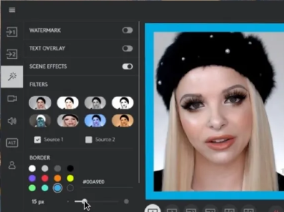
Live streaming has become one of the most popular ways to connect with audiences in real time, whether you’re a gamer, influencer, or educator. To make these interactions more engaging and visually appealing, many streamers are turning to face filter apps. These tools not only help users look their best but also add interactive elements that captivate viewers. Below, we’ll explore how face filter apps can enhance your live streaming experience and make your content stand out.
Ways Face Filter Apps Enhance Live Streaming
Face filter apps provide numerous features to elevate the quality and engagement of live streams. Let’s dive into how these apps can transform your streaming sessions.
1. Real-Time Beautification for a Polished Look
One of the primary ways face filter apps enhance live streaming is through real-time beautification. Apps like YouCam Live and Snap Camera offer features like skin smoothing, blemish removal, and digital makeup that work as you stream, ensuring that you always look your best. These adjustments are subtle yet effective, giving streamers a polished appearance without looking overly edited. This feature is especially useful for beauty influencers, educators, or anyone who wants to maintain a professional look on camera.
2. AR Effects and Fun Filters for Better Viewer Engagement
AR effects and fun filters are powerful tools for boosting viewer engagement. Apps like Snap Camera allow you to add dynamic elements like floating animations, face masks, and themed overlays that respond to your movements. These effects make your stream more visually engaging, capturing viewers’ attention and keeping them entertained throughout your broadcast. You can even switch between different filters depending on your content, whether you’re hosting a Q&A, playing a game, or celebrating a special event.
3. Branding and Themed Overlays for a Professional Touch
Face filter apps can also be used to reinforce your branding during live streams. Apps like ManyCam allow you to create customized overlays that match your brand’s colors and style, adding a professional touch to your broadcast. Whether you’re adding your logo, stream banners, or unique backgrounds, these overlays help establish a consistent visual identity, which is particularly valuable for businesses or influencers to build brand recognition and make their streams look polished and cohesive.
4. Voice Modulation and Sound Effects for Added Entertainment
Some face filter apps also offer voice modulation and sound effects, adding another layer of entertainment to your live streams. Apps like Snap Camera and Voicemod let you change your voice in real-time, adding humor or mystery to your content. These features are perfect for gaming streams, character-based content, or creative storytelling, giving streamers more tools to entertain their audience, and creating memorable moments that resonate with viewers.
5. Interactive Filters for Real-Time Viewer Engagement
Interactive filters can take live streaming to the next level by allowing viewers to influence the content of your stream. Platforms like Twitch and Facebook Live have integrated filters that let viewers vote on which effects to apply or trigger certain animations based on comments and reactions. This interaction turns passive viewers into active participants, making the stream feel more inclusive and community-driven.
6. Masking Fatigue for Long Streaming Sessions
For streamers who broadcast for long periods, face filter apps can help hide signs of fatigue, such as dark circles or dull skin. By maintaining a consistent appearance throughout the stream, you can look fresh and energized, regardless of how long you’ve been live. This is particularly helpful for gaming streamers or educators who often host multi-hour sessions, allowing them to focus on the content without worrying about their appearance.
Conclusion
Face filter apps have become indispensable tools for enhancing live streaming, providing everything from real-time beautification to interactive AR effects. These features not only help streamers look their best but also keep viewers engaged with fun and dynamic elements. So, explore these tools and see how they can elevate your next live stream!
